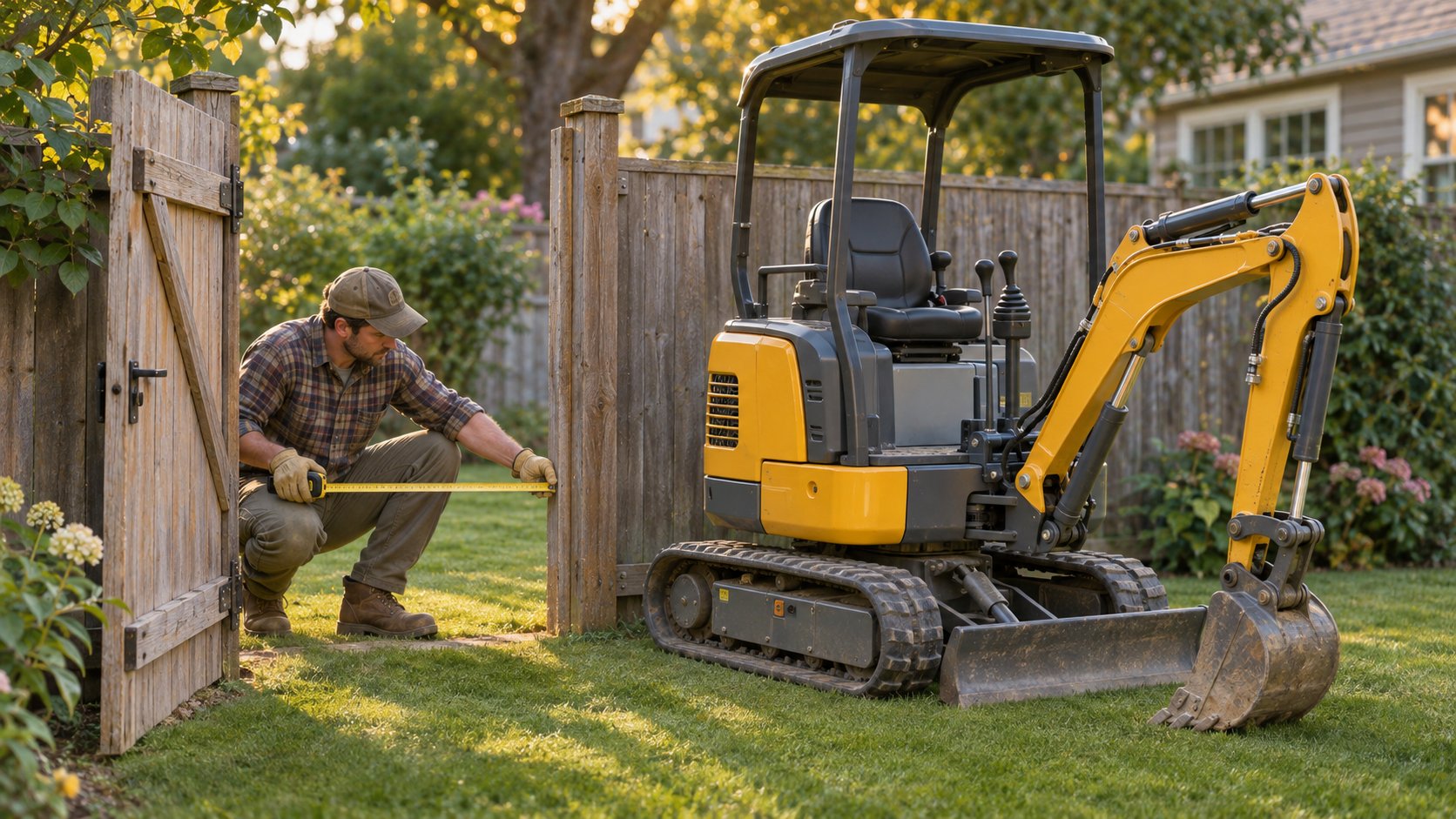



What an Equipment Maintenance Schedule Is and Why It Matters
When a loader quits mid-shift or a rooftop unit fails during a heat wave, the repair bill is rarely the worst part. Crews stand idle, deadlines slip, and safety risks climb. Sound familiar? A written plan is how you stop reacting and start controlling when maintenance work happens.
What Is an Equipment Maintenance Schedule
An equipment maintenance schedule is a documented plan that states which maintenance tasks are performed on which assets, when they are triggered (by calendar date, meter reading, or condition), who performs them, and how completion is recorded.
This guide is vendor-neutral and cross-industry. You'll find practical direction for heavy equipment, plant machinery, facilities and HVAC, fleet vehicles, and specialized or clinical devices, plus a copy-ready equipment schedule template you can adapt later in the article.
What Is Routine Maintenance of Equipment
Routine maintenance is the regular, scheduled upkeep that keeps equipment in its current working condition. Think visual inspections, lubrication, cleaning, fluid checks, and minor adjustments. Repairs are different: they restore something that has already worn out or failed. Routine work is planned in advance, while repairs often arrive without warning.
Why Equipment Preventive Maintenance Matters for Safety and Cost
Imagine two job sites. One follows a preventive maintenance schedule. The other waits for things to break. You'll notice the difference in several places:
- Worker safety and compliance: Poorly maintained machines cause accidents. Regulators expect equipment to stay in safe condition, and OSHA standards address the safety equipment, operation, and maintenance of motor vehicles in the workplace.
- Uptime and project deadlines: Planned service happens on your timeline, not in the middle of a concrete pour or a production run. That predictability is the core value of preventive maintenance for construction equipment.
- Cost control: Small issues caught early rarely become major failures. The stakes are real, as Accruent reports that downtime costs manufacturers over $50 billion per year, with the average manufacturer facing about 800 hours of equipment downtime annually.
- Warranty protection: Many warranties depend on proof of on-schedule service performed to manufacturer requirements.
- Total cost of ownership: Well-kept assets last longer, depreciate more slowly, and hold their resale value better.
Still, a schedule that treats every asset the same wastes time and money. A shop vacuum and a large excavator don't deserve identical attention. Some major components on heavy machines, such as engines and final drives, are even better handled through a planned component replacement (PCR) maintenance strategy for heavy equipment, swapped out before they fail. Choosing the right approach for each asset is where a schedule starts to pay for itself.

Maintenance Strategies Compared and When to Use Each
Do you picture one maintenance policy covering your whole operation? Strong schedules rarely work that way. They mix several strategies and match each one to the asset it protects. The table below compares the main options.
| Strategy | Trigger | Best Suited For | Advantages | Limitations | Typical Data Required |
|---|---|---|---|---|---|
| Reactive (run-to-failure) | Breakdown | Low-cost, non-critical, easily replaced items | Gets full use from the asset, little planning needed | Unplanned downtime, risk of secondary damage, higher repair costs | Basic repair schedule and spares on hand |
| Preventive (time-based) | Calendar interval | Age-related wear, safety checks, HVAC filters | Simple to plan, fewer surprise failures | Parts may be replaced with useful life left, more planned downtime | OEM intervals, equipment maintenance log |
| Preventive (usage-based) | Hours, miles, or cycles | Heavy equipment, fleet vehicles, production machinery | Ties service to actual workload | Depends on accurate meter readings | Hour meters, odometers, cycle counters |
| Condition-based | A measured value crosses a set limit | Components with measurable wear, such as fluids, filters, and undercarriage | Service happens when it is actually needed | Requires routine inspections and defined limits | Inspection readings, oil analysis, wear measurements |
| Predictive | Data trends forecast a failure | High-value or critical machines | Avoids both breakdowns and premature replacement | Upfront investment in sensors, software, and data management | Sensor data, vibration, temperature, CMMS history |
| Reliability-centered (RCM) | Failure mode and consequence analysis | Complex systems and critical facilities | Assigns the right strategy to each failure mode | Time- and expertise-intensive | Criticality ranking, FMEA, failure history |
| Planned component replacement (PCR) | Planned component life point | Engines, transmissions, final drives on heavy equipment | Major work happens on your timeline, not mid-project | May retire components with life remaining | OEM guidance, dealer data, fleet component history |
Reactive vs Preventive Maintenance Schedules
Run-to-failure sounds cheap until something breaks at the worst moment. Prometheus Group points out that reactive teams often end up treating symptoms, like repeatedly fixing an overheating bearing, instead of the root cause. Preventive work fixes that problem but has its own tradeoff. It relies on a theoretical failure rate, so some parts get replaced while they still have useful life.
Condition-Based, Predictive, and Reliability-Centered Approaches
Condition-based and predictive methods service equipment based on evidence rather than the calendar. They need reliable data, though, and that takes investment. RCM sits above both as a decision framework. Developed by United Airlines and the US Department of Defense in the 1960s and later standardized in SAE JA1011, it asks what happens if an asset fails and whether degradation can be detected early. In practice, most teams blend strategies by criticality:
- Run-to-failure: cheap, non-critical items like shop fans or light fixtures.
- Preventive: most assets. An HVAC equipment schedule template, for example, puts filter changes on a calendar trigger.
- Condition-based or predictive: high-value or critical machines where failure halts production or creates safety risk.
Planned Component Replacement for Heavy Equipment
PCR means replacing major components, such as engines, transmissions, or final drives, at planned life points before they fail. Why does that matter in heavy equipment maintenance? A failed transmission doesn't just stop one truck. As BLC Plant notes, it can pull a machine out of a linked haul cycle and leave other equipment waiting. Planned work is far easier to manage than an emergency. Set planned life from OEM guidance, dealer data, and your fleet's own component history, and watch for warning signs like rising temperatures, oil pressure changes, or unusual vibration.
Of course, a strategy is only a label until it becomes a line item with a trigger, an interval, an owner, and a sign-off. That structure is what turns good intentions into work that actually gets done.
Anatomy of a Schedule and How Triggers Work Together
Have you ever opened a maintenance schedule template and found only three columns: asset, task, and date? That works for a handful of machines. It breaks down when a technician needs to know which parts to pull, how long the job takes, or whether the machine must be locked out first. A useful schedule answers those questions before anyone picks up a wrench.
Core Elements of a Maintenance Schedule Format
The basics are a service interval, a timing trigger, an owner, and proof of completion. A working schedule expands those four into a complete line item:
- Asset ID and criticality ranking: a unique identifier tied to a location, plus a rating that shows which tasks can never slip.
- Task description and instructions: specific steps rather than "service machine," ideally with measurable pass/fail limits.
- Trigger type: calendar, meter, or condition.
- Interval: the value from the OEM manual for that exact model and configuration.
- Required parts and consumables: filters, fluids by specification, grease, and quantities.
- Estimated duration: so planners can book a realistic downtime window.
- Required skills: operator-level check, trained technician, or certified specialist.
- Safety precautions: lockout/tagout steps, stored-energy release, and required PPE.
- Assigned owner: a named person or role, plus a backup.
- Completion sign-off: date, meter reading, signature, and findings.
This lines up with OxMaint's PM checklist guidance, which lists asset ID, lockout/tagout steps, pass/fail thresholds, spare parts and quantities, and a sign-off section with photo evidence as core checklist content.
Calendar, Meter, and Condition Triggers on One Machine
Picture a single excavator. The daily walkaround runs on the calendar. Engine oil runs on the hour meter. A hydraulic filter change might follow a condition trigger, such as a restriction indicator or an oil analysis result. Three trigger types can apply to one machine.
Many tasks use a "whichever comes first" rule: oil is due at a set hour count or a set number of months, whichever arrives first. A machine parked all winter still reaches the calendar limit, while one running double shifts reaches the hour limit early. Always take both values from the OEM manual. Vehicle manuals show how this works. The 2025 Toyota Camry guide, as summarized by Craig and Landreth, schedules visits at 5,000 miles or six months, whichever comes first, and its oil footnote adds a 12-month limit even if no reminder appears. The same principle holds in construction equipment maintenance: a usage trigger rarely cancels the calendar limit.
Converting Usage Hours into Calendar Due Dates
Meter triggers are hard to plan around because they don't come with a date. The utilization method gives you one:
- Remaining hours = next service hour mark - current meter reading
- Months until due = remaining hours / average hours used per month
- Projected due date = date of current reading + months until due
Say a loader's next service is at Hnext, the meter reads Hnow, and it averages U hours per month. Service falls roughly (Hnext - Hnow) / U months out. Recalculate every time a new reading comes in, because utilization shifts with seasons and project phases. Enterprise CMMS tools follow the same logic. IBM Maximo projects meter-based due dates from average meter units per day and deletes the forecast whenever that average changes.
In an equipment maintenance log template in Excel, keep date and meter reading columns side by side so the average updates itself. Then compare the projected date with the calendar limit, and let the earlier date win.
The math is simple. The harder part is trusting the inputs. A projection built on a missing hour meter reading or an asset no one remembered to list will mislead you. That is why every reliable schedule starts with the groundwork laid before the first interval is set.

How to Build an Equipment Maintenance Plan Step by Step
Where do you start when you have forty machines, three sites, and a shelf of manuals? Not with intervals. A reliable build moves from what you own, to what matters most, to what each machine needs, and only then to the calendar. The nine steps below work for a small contractor or a multi-site plant, and each one ends with an output you can check before moving on.
Start with an Asset Inventory and Criticality Ranking
- Build a complete asset inventory. Record every asset with a unique ID, location, manufacturer, model, serial number, and current meter reading. MaintainX also recommends capturing purchase date, warranty status, maintenance history, and attached manuals. Good output: one register where no asset is missing and every meter reading is dated.
- Rank asset criticality. Score each asset on safety, production, and replacement-cost impact using a simple 1 to 5 scale so ratings stay consistent. Prometheus Group advises using a cross-functional team, since maintenance, operations, and safety staff weigh risk differently. Good output: every asset tagged critical, major, or minor, plus written rules on which tasks can never slip.
Define Tasks, Triggers, and Owners
- Gather OEM manuals and confirm the configuration. Match each manual to the exact model, serial range, and installed attachments. Two machines with the same model name can carry different requirements. Good output: the correct manual filed against each asset ID.
- Define tasks clearly. Write the steps, parts, tools, estimated time, and lockout/tagout requirements. Good output: a technician new to the machine can finish the job without calling anyone.
- Set triggers and intervals. Start with OEM values, then adjust for how the machine actually works. Preventative maintenance for heavy equipment in Alabama, for example, has to account for summer heat, humidity, and dusty sites, so check whether the manual lists severe-service intervals. Treat any maintenance plan sample you download as a format guide, never as a source of intervals. Good output: each task shows its trigger type, interval, and the manual page it came from.
- Assign owners and backups. Good output: every task has a named person or role and a backup, with no orphan tasks.
Schedule Around People, Parts, and Production
- Fit work to people, parts, and production. Book tasks around technician availability, low-demand production windows, and parts lead times. Pardus Consulting notes that parts are the most common reason a planned job is not ready to start. Good output: a rolling calendar agreed with operations, with parts ordered before each window opens.
- Choose documentation and proof-of-completion methods. Pick a paper maintenance log template, a maintenance log template in Word or a spreadsheet, or a CMMS. Good output: every completed task leaves a date, meter reading, signature, and findings.
- Set a review cadence. Good output: a fixed review date where you compare completion rates and failure history, then adjust intervals.
You'll notice step 4 is where most first drafts stall. Knowing a machine needs service is easy. Deciding which checks belong in the daily walkaround and which wait for a larger hour-based service is the real puzzle.
Frequency-Based Tasks and Hour-Based Service Levels
Why do some checks happen every morning while others wait for months? It comes down to how fast a problem can grow. A fresh leak or a missing guard can become dangerous within one shift, so it belongs in the daily walkaround. A hydraulic filter loads up over hundreds of hours, so it waits for a planned service. Sorting tasks by how quickly failure develops keeps your equipment schedule lean without leaving gaps.
Daily to Annual Tasks in a Preventive Maintenance Schedule
The table below groups common task categories by frequency. It builds on the cadence in MaintainX's construction checklist and works as a starting framework for most mobile and plant equipment.
| Frequency | Typical Tasks | Usually Performed By |
|---|---|---|
| Daily | Walkaround for leaks, cracks, and loose parts; check and top off fluids; inspect tires or tracks; test brakes, lights, horn, and alarms; grease high-friction points per OEM locations | Operator |
| Weekly | Inspect, clean, or replace air filters; check battery terminals; drain the fuel/water separator; examine belts, hoses, and fittings; verify torque on key fasteners | Operator or technician |
| Monthly | Check hydraulic pressure; clean radiators and cooling systems; test electrical systems; inspect brakes and steering; full test of alarms and extinguishers | Technician |
| Quarterly | Review logs and telematics for trends; inspect seals, wipers, and exposed metal for rust; confirm upcoming hour-based services are planned | Technician or supervisor |
| Semi-annual | Pre-summer and pre-winter prep: filters before peak season, coolant protection before freezing weather, battery and charging tests, heater and AC checks | Technician |
| Annual | Required inspections and certifications, such as the 12-month inspection for commercial motor vehicles; full schedule review | Qualified inspector |
One caution on greasing: more is not better. Too little grease wears joints early, while too much can blow out seals and pack dirt into fittings.
Cumulative Hour-Based Service Levels for Heavy Equipment
Hour-based ladders are familiar to anyone running loading equipment PM on wheel loaders, skid steers, or excavators. Caterpillar, for example, organizes planned maintenance as PM1 every 250 hours, PM2 every 500, PM3 every 1,000, and PM4 every 2,000 hours. The key idea is that levels stack. At 1,000 hours, a machine gets the 1,000-hour tasks plus everything from the 500- and 250-hour levels. Oxmaint describes truck A/B/C programs the same way: the higher level supersedes the lower ones, and their clocks reset from that service.
Illustrative structure only. Confirm every interval and task in your OEM manual.
| Level | Hour Mark | Includes | Representative Added Tasks |
|---|---|---|---|
| PM1 | 250 | Base level | Engine oil and filter (if specified here), oil sample, full greasing, belt and hose inspection |
| PM2 | 500 | All PM1 tasks | Fuel filters, air filter service |
| PM3 | 1,000 | All PM1 and PM2 tasks | Hydraulic and transmission oil filters, drivetrain fluid checks |
| PM4 | 2,000 | All lower levels | Hydraulic fluid replacement, coolant replacement or testing per spec |
Why OEM Manuals Override Generic Intervals
Even Caterpillar answers the question of when service is due by pointing owners to the machine's Operation and Maintenance Manual, and it notes that kit contents vary by machine and interval. Generic ladders can't capture that. Engine families, filter types, and fluid specs differ by model and configuration. Oxmaint also notes that OEM intervals assume a standard duty cycle, and that substituting non-specified fluids or filters may require shorter intervals.
A practical habit: record which level was performed on your maintenance report template, not just "PM done." That one detail tells the next technician which clock to reset.
These tables lean heavily toward diesel machines with hour meters. A rooftop unit, a packaging line, or a patient monitor runs on a completely different rhythm, with different tasks, triggers, and people responsible.

Example Schedules by Equipment Type
Jump straight to the equipment you run. Each block below lists representative tasks, the trigger that usually drives them, and who typically owns the work. Use these as a maintenance template for structure, then pull the actual intervals from your OEM documentation.
Earth-Moving and Construction Equipment Schedules
| Task | Trigger Type | Responsible Role |
|---|---|---|
| Undercarriage check: track tension, rollers, idlers, sprockets | Daily visual; meter-based for wear measurements | Operator, then technician |
| Bucket teeth, adapters, retainers, cutting edges | Daily pre-shift | Operator |
| Hydraulic hoses, cylinders, and leaks | Daily visual; meter-based for filters and fluid | Operator and technician |
| Greasing pins, bushings, and swing bearing at OEM points | Calendar or meter, per manual | Operator |
Attachments deserve the same attention as the machine. Caterpillar recommends checking ground engaging tools during the pre-shift walkaround, and HVI adds that the adapter and surrounding structure should be inspected before a damaged tip is replaced.
Plant Machinery and HVAC Equipment Schedule Template Examples
| Plant Machinery Task | Trigger Type | Responsible Role |
|---|---|---|
| Shaft and coupling alignment | Calendar; condition after vibration changes or component swaps | Maintenance technician |
| Bearing and gearbox lubrication | Calendar or runtime meter | Lubrication technician |
| Belt and pulley tension and wear | Calendar | Maintenance technician |
| Safety guards and interlocks | Each shift | Operator |
| HVAC Task | Trigger Type | Responsible Role |
|---|---|---|
| Inspect, clean, or replace air filters | Calendar; tighter in dusty or high-traffic buildings | Facility technician |
| Clean condenser and evaporator coils | Calendar | HVAC technician |
| Inspect belts and pulleys | Calendar | HVAC technician |
| Refrigerant checks and leak repair | Calendar or condition | Certified refrigerant technician |
ServiceChannel notes that many commercial systems get a full service twice a year, with filters cleaned or replaced monthly, or every two weeks in dusty environments. Refrigerant work is not a generalist task: EPA Section 608 requires technicians to be certified before handling refrigerants.
Fleet and Specialized Device Schedules
| Fleet Task | Trigger Type | Responsible Role |
|---|---|---|
| Engine oil and filter service | Mileage or months, whichever comes first | Fleet technician |
| Tire pressure and tread depth | Daily pre-trip; condition for replacement | Driver, then technician |
| Brake inspection and lining measurement | Pre-trip check; mileage or condition | Driver and technician |
| Annual vehicle inspection | Calendar | Qualified inspector |
| Clinical Device Task | Trigger Type | Responsible Role |
|---|---|---|
| Manufacturer-required preventive maintenance | Calendar, per manufacturer | Biomedical technician |
| Calibration and performance verification | Calendar, per manufacturer | Biomedical or authorized service technician |
| Documented service record | Every service event | Technician and department lead |
Clinical equipment preventive maintenance carries extra weight. GCX explains that bodies such as The Joint Commission, CMS, OSHA, and the FDA require documented PM, and that devices without manufacturer recommendations need an alternative equipment maintenance (AEM) plan. Build your asset maintenance plan template around that documentation from day one.
Wear Item Replacement Criteria
Wear parts are where guesswork costs the most. Measure them against manufacturer wear limits instead of eyeballing them:
- Cutting edges and teeth: Measure remaining length or thickness. Replace before wear reaches the adapter or base edge, and log a missing tip as a defect.
- Blades: Check edge height, cracks, and uneven wear. Reverse reversible edges once, where the design allows.
- Abrasives: A glazed grinding wheel looks shiny and cuts hot. Dressing restores the cutting face, but replace the wheel once it reaches the marked minimum size or shows cracks.
- Belts: Look for cracks, glazing, fraying, and lost tension. Replace multi-belt drives as matched sets.
- Hoses: Replace, never patch, when you see exposed reinforcement, bulges, stiffness, or leaks at fittings.
Notice that every row above produces something worth keeping: a reading, a wear measurement, a signature. Scattered across clipboards and memory, those details vanish right when an auditor or warranty claim asks for them.
Copy-Ready Schedule Template and Equipment Maintenance Log
Ever searched for a free template and hit a sign-up wall? Not here. Copy the tables below straight into a spreadsheet, a shared document, or a CMMS import file. Replace each bracketed placeholder with values from your asset register and the correct OEM manual.
Copy-Ready Maintenance Schedule Template
This schedule of equipment is the planning side of your system. Use one row per task, per asset, so a single machine with several triggers gets several rows.
| Asset ID | Equipment Name | Location | Criticality | Task | Trigger Type | Interval | Owner | Last Completed | Next Due | Proof of Completion |
|---|---|---|---|---|---|---|---|---|---|---|
| [EX-001] | Excavator [model] | [Yard A] | Critical | Engine oil and filter | Meter + calendar, whichever first | [OEM hours] / [OEM months] | [Shop lead] | [Date] / [Meter] | [Date] | Signed work order + oil sample ID |
| [AHU-03] | Air handling unit | [Roof, Bldg 2] | Major | Inspect or replace filters | Calendar | [Per OEM or site standard] | [Facility tech] | [Date] | [Date] | Checklist + photo |
| [CNV-02] | Conveyor drive | [Line 1] | Critical | Belt tension and wear check | Condition | [At OEM wear limit] | [Maintenance tech] | [Date] | [Date] | Recorded measurement + signature |
| [FL-12] | Forklift | [Warehouse] | Major | Pre-shift inspection | Calendar | Each shift | [Operator] | [Date] | [Date] | Signed inspection sheet |
To make the sheet work for you in Excel or Google Sheets, set it up like this (columns A through K match the table above):
- Lock the structure. Freeze the header row and add drop-down data validation for criticality and trigger type, a step Sockeye recommends to keep entries consistent.
- Calculate the next due date. For calendar tasks, add the interval to the last completed date, such as
=I2+[interval in days]or=EDATE(I2,[interval in months]). For meter tasks, use the utilization method from earlier: reading date + (next service hours - current hours) / average hours per day. For whichever-comes-first rules, wrap both results in=MIN(calendar due, meter due)so the earlier date wins. - Flag overdue work. Select the Next Due column, open Conditional Formatting, choose a formula-based rule, and enter
=J2<TODAY()with a red fill. Statology notes that=J2<=TODAY()also flags tasks due today. Add a second amber rule, such as=AND(J2>=TODAY(),J2<=TODAY()+7), to warn a week ahead. - Share one live file. A single shared copy with filters beats five emailed versions that disagree.
Equipment Maintenance Log Template Fields
The schedule says what should happen. The log proves what did. Keep this equipment maintenance log template alongside it, one log per asset or one master sheet filtered by asset ID.
| Date | Meter Reading | Work Performed | Parts Used | Technician | Findings | Sign-Off |
|---|---|---|---|---|---|---|
| [Date] | [Hours / miles / cycles] | [Service level or task, e.g. PM2] | [Part numbers, fluid specs, quantities] | [Name] | [Wear readings, leaks, follow-up needed] | [Supervisor initials] |
Sockeye also suggests optional fields like serial number, condition rating, maintenance cost, and photos. For remote crews, a printed maintenance log sheet in the cab works fine, as long as entries get transferred to the master file on a set schedule.
Records That Support Warranties, Audits, and Resale
What belongs in the record? Every completed task, every meter reading, parts and fluids used, defects found, deferred work, and who signed off. Keep these records for at least as long as you own the asset, and longer whenever warranty, regulatory, or contractual terms require it. When you sell, the history goes with the machine.
- Warranty claims: Dated service entries with serial numbers and fluid specs show the manufacturer that you followed its requirements.
- Audits and safety inspections: Signed logs answer an inspector's questions in minutes instead of days.
- Resale value: Buyers pay more for a machine with a complete, believable history.
- Rental damage attribution: Record a check-out inspection and a check-in inspection with meter readings and photos. Property managers rely on the same habit, since dated photos turn vague memories into evidence when a dispute arises.
Still, a log only shows what someone did and saw from the outside. It can't reveal wear metals building up in the oil or how much life remains in a track link. And when a machine arrives secondhand, someone else's records become your starting point, if they exist at all.

Condition-Based Inputs and Onboarding Used Equipment
What if your oil could tell you when it needs changing? With the right tests, it nearly can. Condition data shows what your machine is actually going through, which the manual's standard intervals can only assume.
Using Oil Analysis and Wear Measurements in Your Schedule
Oil analysis tests a lubricant sample for degradation, wear metals, additive depletion, and contaminants such as coolant, water, or dirt. Champion Lubricants explains that tracking Base Number (BN), the oil's remaining reserve alkalinity, is what makes condition-based drain intervals possible. Contamination and engine condition still need monitoring alongside it. Rising wear metals act as an early warning to inspect a component before it fails. In preventative maintenance programs for 24/7 operations, where every shutdown is costly, that warning lets you plan the stop instead of absorbing a breakdown.
Feeding results back into the schedule is straightforward:
- Pull samples at the same service level each time so the trends stay comparable.
- Log each report against the asset ID.
- Change an interval only when the trend supports it and the OEM allows it.
Tooling works the same way. A cutting edge or tooth measured near its wear limit should automatically create a replacement task.
Tracking Undercarriage Wear on Earth-Moving Machines
Undercarriage wear deserves its own routine. HVI estimates the undercarriage can account for up to 50% of a dozer or excavator's lifetime owning-and-operating cost. Measure these components:
- Sprockets
- Idlers
- Rollers
- Grousers
- Track links, using pitch over a four-pin span to reveal pin and bushing wear
Then convert each reading into the percentage of wear life used, based on the OEM's new and end-of-life dimensions. HVI suggests this cadence:
- Daily visual checks.
- Tension checks around 250 hours.
- Full measurement every 500 to 1,000 hours, more often on abrasive or rocky ground.
Logged in a spreadsheet or an equipment scheduling tool, those numbers become a trend you can use to forecast replacement and budget for it.
Bringing a Used Machine into Your Heavy Equipment Maintenance Program
A secondhand machine arrives without a reliable maintenance history. Before you assign any intervals:
- Request the service records.
- Review any fluid analysis reports.
- Inspect the undercarriage and hydraulic condition.
- Perform a baseline service per the OEM manual.
Start every ongoing interval from that baseline service. Useful questions for the seller, partly drawn from Mico Equipment's checklist:
- Are dated records for oil, filters, greasing, and major repairs available?
- Are oil analysis reports available, and for which compartments?
- Do hour meter and telematics data match the visible wear?
- Has the machine had major repairs or structural welding?
- How much undercarriage life remains, and was it measured?
- What kind of work and conditions did it run in?
- Can an independent technician inspect it and take oil samples?
Some suppliers document their own pre-sale checks. JIUHONG, for example, describes inspecting, repairing, and testing used excavators before sale, backed by an inspection team and maintenance and spare-parts warehouses. Whoever the seller is, ask for written inspection findings and a list of replaced parts. Those details become the first rows in your log and a starting maintenance schedule example for that machine.
A baseline only describes the machine on the day you get it. After that, the schedule has to hold up against real completion rates, missed tasks, and operating conditions the manual never anticipated.
Keeping Your Schedule Accurate Over Time
A schedule that looks perfect on launch day can drift within a few months. Machines change sites, utilization shifts, and a few skipped tasks quietly turn into a habit. A missed task rarely causes trouble on its own, but repeated misses add up to an unexpected breakdown. Treat the plan as a living system that you measure and tune, not a document you file away.
Measuring Schedule Compliance and Handling Missed Tasks
Schedule compliance answers one question: did planned work happen on time? The formula is simple:
Compliance (%) = tasks completed on time / tasks due in the period x 100
Count only scheduled preventive tasks, because reactive repairs would skew the number. UpKeep cites a world-class benchmark of at least 90%, while the industry average sits closer to 84%. It also recommends weekly checks by supervisors, monthly reviews by managers, and quarterly reviews of the task list itself. Put the score next to failure history and work order records, and break it out by criticality. A slipping score on a critical press matters far more than one on a shop fan.
When a task is missed, don't just wait for the next cycle:
- Complete it as soon as possible.
- Inspect for any damage the delay may have caused.
- Record the deviation, the reason, and the meter reading.
- Reset the next due date as the OEM manual directs, usually counted from the actual service point.
Adjusting Intervals for Severe Conditions
Dust, heat, heavy loads, and high utilization all speed up wear. Many manuals list severe-service intervals, so use them wherever your conditions match. Beyond that, let evidence guide you. Repeat failures, oil analysis trends, and wear measurements all show whether wear is outpacing the schedule. Shorten intervals when the data says so. Lengthen them only with OEM approval and solid supporting data.
Rental, Remote, and 24/7 Equipment Schedules
- Rental fleets: Hapn notes that at a standard 176-hour monthly rental basis, a 250-hour service comes due about every six weeks, often on a customer's site. Compare hours to the next service at check-out, and record hours, damage, and photos at check-in.
- Remote sites: Collect operator-reported meter readings on a fixed day each week, keep a printable maintenance log template in the cab, and use telematics where available.
- Seasonal storage: Follow the OEM storage and recommissioning steps. Calendar-based items still come due on machines that barely ran.
- Multiple locations: Keep one master register with a location column and a named owner at each site.
- 24/7 operations: Book planned maintenance windows in advance, or rotate redundant assets so service never forces a full stop.
When to Move from Spreadsheets to a CMMS
A maintenance log template in Excel works well for a handful of machines in one yard. The risk, as UpFix puts it, is that a spreadsheet can look fine while execution quality declines. Watch for these signs:
- Asset count is growing faster than one coordinator can track.
- Work is spread across multiple sites or crews.
- Meter-based services get missed because readings are stale.
- Audits or warranty claims take hours of record reconstruction.
- People regularly ask which file is the latest version.
- No one can quickly say who owns an overdue task.
Switching doesn't mean starting over. A clean maintenance schedule format with asset IDs, triggers, intervals, and owners moves directly into an equipment scheduling tool or CMMS.
Build your schedule from an accurate inventory and OEM data, track every task and meter reading, and refine intervals with real compliance, failure, and condition data, because a schedule only prevents failures when it keeps pace with how your equipment actually works.
Equipment Maintenance Schedule FAQs
1. How often should equipment maintenance be performed?
There is no single frequency that fits every machine. Quick checks that catch fast-developing problems, such as leaks, missing guards, or low fluids, usually happen every shift or every day and are handled by the operator. Slower wear items, such as filters, fluids, and drivetrain components, are serviced on meter-based intervals (hours, miles, or cycles) or calendar intervals, often with a 'whichever comes first' rule. The actual values should always come from the OEM manual for your exact model and configuration. Shorten intervals when the machine works in dust, heat, heavy loads, or high utilization, especially if the manual lists severe-service intervals. Inspection findings, fluid analysis, and failure history should then show whether the intervals need further adjustment.
2. What is the difference between preventive and predictive maintenance?
Preventive maintenance services equipment on a fixed trigger, such as a calendar date or a meter reading. It is simple to plan and reduces surprise failures, but some parts get replaced while they still have useful life left. Predictive maintenance uses data trends from sensors, vibration readings, temperature monitoring, or maintenance software history to estimate when a component is likely to fail, so work happens closer to the point of actual need. Predictive programs require more upfront investment in tools and data handling, so most organizations reserve them for high-value or critical machines and use preventive schedules for the majority of their assets. Condition-based maintenance sits in between and acts when a measured value, such as an oil analysis result or a wear measurement, crosses a defined limit.
3. What should an equipment maintenance log include?
A useful maintenance log records the date, the meter reading at the time of service, the work performed (including the service level, such as PM2), the parts and fluids used with part numbers and specifications, the technician's name, findings such as wear readings or leaks, and a supervisor sign-off. Optional fields like serial number, condition rating, cost, and photos make the record even stronger. Deferred work and defects should also be noted so nothing gets lost between services. Keep records for at least as long as you own the asset, and longer when warranty, regulatory, or contract terms require it. A complete log speeds up warranty claims and audits, supports safety inspections, helps settle rental damage disputes, and raises resale value because buyers trust a documented history.
4. How do I add a used excavator to my maintenance schedule?
Start by treating the machine's past as unknown until it is proven. Ask the seller for dated service records, oil analysis reports by compartment, details of major repairs or structural welding, undercarriage measurements, and the type of work and conditions the machine ran in. Check whether hour meter or telematics data matches the visible wear, and arrange an independent inspection with oil sampling if possible. Some used-equipment suppliers, such as JIUHONG, describe inspecting, repairing, and testing excavators before sale, so request their written inspection findings and a list of replaced parts. After purchase, perform a baseline service according to the OEM manual and begin every ongoing interval from that point. The seller's documents and your baseline results become the first entries in the machine's maintenance log.
5. What should I do if a scheduled maintenance task is missed?
Do not simply skip it and wait for the next cycle. Complete the overdue task as soon as possible, then inspect the related components for damage the delay may have caused, such as contaminated oil, dry pins, or worn belts. Record the deviation in the log, including why it was missed and the meter reading when the work was finally done. Reset the next due date according to the OEM manual, which usually counts from the actual service point rather than the original due date. Track missed tasks through a schedule compliance measure, calculated as tasks completed on time divided by tasks due in the period, and review it by asset criticality. If misses keep happening, it may be a sign that stale meter readings, unclear ownership, or spreadsheet limits are hurting your program and a CMMS could help.